

How to Convert Decimal Numbers to Binary
Learn how to convert decimal numbers to binary step-by-step with clear examples, tips to avoid common errors, and practical digital tools 🧮💻 Ideal for students & pros.
Edited By
Benjamin Collins
Binary numbers form the backbone of all modern computing and digital systems. Unlike our usual decimal system, which is base-10, the binary system uses only two digits: 0 and 1. This simplicity makes it ideal for electronic circuits, where the two states can represent off and on.
Understanding how to convert a binary number to its decimal equivalent is essential for traders, investors, financial analysts, and educators who work with digital data or computing hardware. It helps demystify data processing and enables better communication about how computers handle numbers.
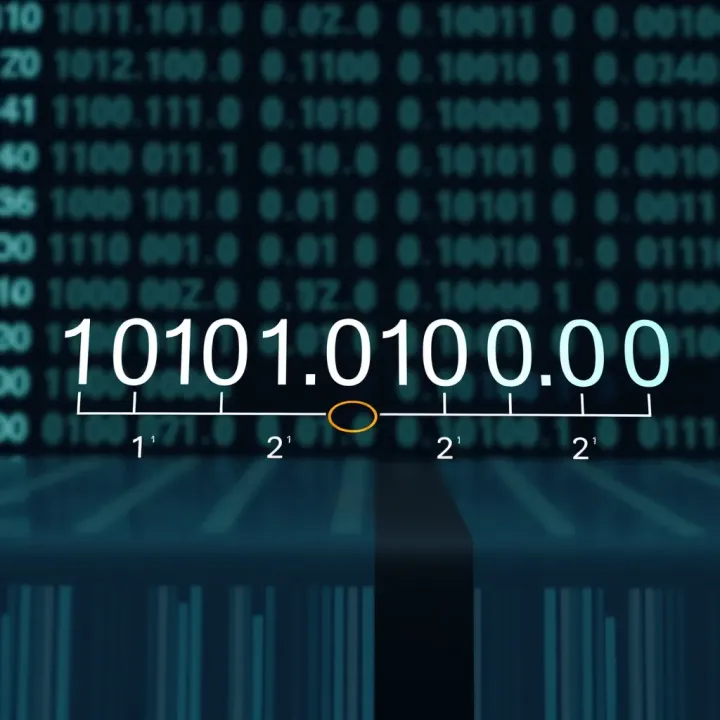
A binary number consists of bits (binary digits), each representing an increasing power of two. For example, the binary number 1011 has four bits:
The rightmost bit represents 2⁰ (1)
The next one to the left represents 2¹ (2)
Then 2² (4)
And finally 2³ (8)
Each bit can be either 0 (off) or 1 (on).
Decimal numbers are the common language for humans, especially in finance and trading. Computers may store and process data in binary, but we interpret those results in decimal, whether it's stock prices, transaction volumes, or statistical data.
Knowing how to convert between binary and decimal provides you a clear insight into how raw digital information translates into meaningful figures.
To convert binary to decimal, multiply each binary digit by its corresponding power of two and then add all those values together.
For example, let’s convert binary 1101 to decimal:
Identify the powers of two from right to left: 2³, 2², 2¹, 2⁰
Multiply each digit:
1 × 8 = 8
1 × 4 = 4
0 × 2 = 0
1 × 1 = 1
Add these up: 8 + 4 + 0 + 1 = 13
So, binary 1101 equals decimal 13.
Stock Market Data: Many trading algorithms operate on binary data. Understanding conversion helps interpret machine-generated reports or errors.
Financial Systems: Electronic payments and databases store numbers in binary. Knowledge of conversion assists in troubleshooting and data validation.
Teaching: Educators can explain digital concepts more clearly with hands-on examples.
This guide will take you further into detailed steps and examples to master binary-to-decimal conversion confidently and accurately.
Understanding the binary number system is vital when you want to grasp how computers and digital devices work. At its core, binary is the language of machines, reducing complex operations to just two symbols—0 and 1. Mastering this system lays the groundwork for converting binary numbers to decimal, an important skill for anyone dealing with computing or electronics.
Definition of binary numbers: Binary numbers use only two digits: 0 and 1. Instead of the ten digits we’re used to in everyday life, binary reflects a base-2 numbering system. This simplicity allows electronic circuits to interpret signals easily because they only need to detect two states—on or off, high or low voltage.
Representation of data in binary: All forms of digital data—whether text, images, or sound—are ultimately stored as strings of 0s and 1s. For example, in computing memory, a single byte stores eight binary digits, each representing a bit of information. Think of a binary string like 10011010: each 1 or 0 tells the computer whether a particular circuit is active or not, encoding vast amounts of information in just a few digits.
Importance in computers and electronics: Computers use binary because their hardware naturally works with two voltage levels. This makes processing reliable and less prone to errors. Even everyday gadgets like smartphones, televisions, and ATM machines depend on binary processing behind the scenes, making it an essential foundation for understanding modern technology.
Knowing binary lets you decode what’s really happening inside your devices, turning ones and zeros into information you can make sense of.
Base-2 versus base-10 numbering: The decimal system, which we use daily, is base-10 because it has ten digits (0–9). In contrast, binary’s base-2 means only two digits are used. This change affects how numbers are counted and represented. For example, decimal number 10 is written as 1010 in binary. Understanding this difference is key to converting accurately between the two systems.
Digit values and place value differences: Each position in a decimal number represents a power of ten, just like each position in a binary number represents a power of two. In decimal, the rightmost digit stands for 10⁰ (one), the next for 10¹ (ten), and so forth. In binary, the rightmost bit represents 2⁰ (one), followed by 2¹ (two), 2² (four), and so on. Grasping this place value helps you convert binary to decimal by summing the powers of two where bits are set to 1.
By getting comfortable with these fundamentals, traders, educators, and financial analysts alike can deepen their insight into how data is structured and manipulated at the most basic digital level. This understanding can be especially handy when working with computer systems or analysing software outputs in Pakistan’s growing tech and finance sectors.
Understanding how to convert binary to decimal begins with breaking down the process into clear, manageable steps. This helps you see how each part of the binary number contributes to the overall decimal value. For traders and analysts working with technical systems or digital finance tools, grasping these basics ensures you can interpret data correctly and avoid costly errors.

Every binary number consists of bits—each a single digit of 0 or 1. Recognising each bit's value starts by reading the binary number from left to right, noting down the presence (1) or absence (0) of a signal in each position. For example, in the binary number 1011, the bits correspond to 1, 0, 1, and 1 in sequence. This basic identification is foundational because each bit's position relates directly to its decimal worth.
Each bit's position represents a power of two, beginning with 2^0 on the rightmost bit and increasing by one power as you move left. This means the last bit in 1011 equals 1×2^0 (which is 1), the next bit is 1×2^1 (which is 2), then 0×2^2 (0), and finally 1×2^3 (8). Understanding these positions turns the binary digits into meaningful decimal components.
Once you multiply each bit by its power of two, add all those results together to get the decimal equivalent. Using 1011, you sum 8 + 0 + 2 + 1, resulting in 11 in decimal. This final step is critical since it consolidates the individual bit values into the number you actually use for calculations or analysis.
Exponents indicate how many times to multiply the base number, which is 2 in binary. Starting at zero for the rightmost bit, each bit to the left increases the exponent by one. Knowing this pattern is vital for accurately calculating the decimal equivalent of any binary number.
For instance, in a 6-bit binary number like 110101, the exponents for each bit from right to left are 0, 1, 2, 3, 4, and 5. It means you multiply each bit by 2 raised to these exponents as part of the conversion.
To assign powers of two correctly, always start at the rightmost bit with exponent zero and move leftward, increasing the exponent by one at each step. This systematic approach prevents confusion and miscalculations.
For example, with binary 10010, the rightmost digit is multiplied by 2^0, the next by 2^1, and so on, up to 2^4 for the leftmost bit. This method keeps calculations organised and consistent, which matters for computer programming, electronics, and even financial modelling in sectors using binary-coded data.
Knowing the binary to decimal conversion technique is not just academic—it’s practical knowledge, especially when dealing with digital systems common in financial markets and technology sectors.
Understanding the conversion process through detailed examples is vital for mastering binary to decimal transformation. These examples clarify how each binary digit influences the final decimal number, making abstract concepts more tangible. Practising with actual numbers builds confidence, especially for those working in computing, finance, or education in Pakistan where digital literacy is gaining importance.
Starting with a 4-bit binary number, such as 1011, helps grasp the basics without overwhelming details. Each bit represents a power of two, from right to left: 1, 2, 4, and 8. For this number:
The rightmost bit is 1 × 2^0 = 1
Next is 1 × 2^1 = 2
Then 0 × 2^2 = 0
Finally, 1 × 2^3 = 8
Adding these values (8 + 0 + 2 + 1) gives 11 in decimal. This example suits traders or financial analysts who deal with binary-coded data or flags in computer systems and need a quick way to interpret such values.
Longer binary numbers, like 11010110 (an 8-bit number), build on this concept but require careful attention to place values. Software engineers and analysts working with digital signals or machine-level data must convert such numbers accurately. Breaking it down:
Assign powers of two from the right (2^0 to 2^7)
Multiply each bit by its power of two
Sum the results
For 11010110, the decimal equivalent is calculated as:
(1 × 2^7) + (1 × 2^6) + (0 × 2^5) + (1 × 2^4) + (0 × 2^3) + (1 × 2^2) + (1 × 2^1) + (0 × 2^0)
This equals 128 + 64 + 0 + 16 + 0 + 4 + 2 + 0 = 214
This method ensures precision when dealing with computer memory addresses or data representation.
Skipping any bit accidentally during conversion leads to errors. For example, ignoring a '1' bit in 1011 reduces the value incorrectly. This often happens when converting longer binaries or under time pressure. To avoid this, write down all bit positions clearly or use a systematic method — such as placing each bit over its power of two — ensuring no digit is left out.
Adding the calculated decimal values wrongly is a frequent mistake. For instance, mixing up digits or adding numbers from incorrect positions can lead to a wrong total. Double-checking with a calculator or writing intermediate sums helps. Practising regular manual additions enhances the ability to verify results quickly without software aid.
Misaligning bits with their corresponding powers of two causes wrong conversion. A common example is reading the binary number from left to right without assigning powers correctly (rightmost bit is always 2^0). This mistake shapes a totally different decimal number. To prevent it, always start counting powers from the rightmost bit and move leftwards consistently.
Careful attention to these details during conversion saves time and prevents costly errors in coding, electronic device programming, or data analysis tasks.
Using these detailed examples and avoiding common pitfalls make you more accurate and efficient at converting binary numbers to decimal, a valuable skill in Pakistan's growing tech and financial sectors.
Using the right tools and methods can make converting binary numbers to decimal much easier and faster. Traders, investors, and financial analysts often deal with complex data, and a clear understanding of binary conversion helps in areas such as algorithmic trading and data analysis. Whether you prefer digital solutions or want to sharpen mental skills, this section highlights practical options for simplifying the process.
Available online converters offer quick and accurate conversion from binary to decimal with just a few clicks. Websites and apps provide user-friendly interfaces where you enter the binary number, and the decimal equivalent appears instantly. This saves time compared to manual calculations, especially for long binary sequences common in computing and data analysis. For instance, an investor checking algorithm outputs can quickly verify values without errors.
Features of software tools often go beyond simple conversion. Some tools allow batch processing of multiple binary numbers, helpful for handling big data in financial markets. Advanced features include visualisation of binary data, explanations of steps, and even support for other number systems like hexadecimal and octal. Engineers and educators benefit by demonstrating concepts interactively, while analysts can integrate conversion tools into software workflows to automate tasks.
Recognising common binary patterns helps speed up mental conversions. Certain bit patterns represent familiar numbers—like 1000 equals 8 or 1111 equals 15. Spotting these patterns allows quick calculations without breaking down every bit. This technique suits professionals who occasionally need rapid interpretation, such as during technical discussions or while reviewing code snippets.
Using approximation methods involves estimating decimal values when exact conversion isn't necessary. For example, if a binary number approximates to a power of two, traders can round results for quick decision-making. This approach reduces cognitive load during fast-paced environments like stock trading. However, it requires familiarity with powers of two and when to apply approximations responsibly.
Employing calculators, software, and mental tricks to convert binary numbers not only enhances efficiency but also reduces errors — a vital advantage in data-driven fields across Pakistan's growing tech and financial sectors.
By combining digital tools and manual techniques, you can tailor your approach depending on the situation—balancing speed and accuracy to suit your needs.
Binary to decimal conversion plays a significant role in Pakistan's growing tech and education sectors. Understanding this process helps professionals and students alike to work effectively with digital systems and prepares them for examinations that underpin careers in computing, engineering, and data science.
In programming, binary is the fundamental language for computers and software systems. Pakistani developers often write code that eventually translates into machine-level binary instructions. Converting binary numbers to decimal helps programmers debug and understand what's happening behind the scenes, especially when dealing with hardware-level programming or embedded systems. For example, when writing code for microcontrollers using C or Assembly language, reading and interpreting binary values in decimal makes data easier to manage and analyse.
Microcontrollers, which are widely used in Pakistan for automation in industries, agriculture, and even home appliances, rely heavily on binary logic. To control electrical outputs or read sensor inputs, engineers convert binary data from microcontroller registers into decimal values that humans can interpret. For instance, when monitoring temperature sensors coded in binary, converting these readings into decimal helps technicians quickly understand the actual temperature, making troubleshooting and calibration straightforward.
For students pursuing computer science or IT in Pakistan, mastering binary to decimal conversion is essential. Many university-level courses and technical training programmes include this skill as part of their fundamentals. It enables students to grasp how data is represented and manipulated inside computers, forming a basis for learning programming, data structures, and computer architecture.
Entrance exams such as the Medical & Dental College Admission Test (MDCAT) and various engineering institution tests in Pakistan often feature questions on number systems. Being able to swiftly convert binary numbers to decimal can give students an edge in these exams. This skill not only helps in answering specific questions about number systems but also assists in solving broader problems related to digital logic and computing.
Mastering binary to decimal conversion is more than just academic—it connects theory with everyday technology use and opens doors to technology fields growing rapidly in Pakistan.
By understanding these practical uses, learners and professionals can appreciate why this conversion remains a necessary skill in Pakistan's tech and educational landscape.
Learn how to convert decimal numbers to binary step-by-step with clear examples, tips to avoid common errors, and practical digital tools 🧮💻 Ideal for students & pros.
Learn how to convert binary numbers to decimal with clear steps and tips 🔢. Understand place values, common issues, and practical uses in tech 💻.

Learn to convert fractional decimal numbers to binary step-by-step 🧮. This guide offers clear examples, tips, and practical insights for Pakistani students and IT pros.

Learn how to convert numbers into binary with clear, step-by-step methods 💡. Understand binary basics and its practical role in computing 🔢⚙️.
Based on 9 reviews