
Understanding the Binary Number System
🔢 Explore the binary number system: its definition, how binary counting works, comparisons with other systems, and key applications in computing and electronics.
Edited By
Oliver Bennett
The binary number system forms the backbone of all computer operations. Unlike everyday counting that uses ten digits (0 through 9), computers rely solely on two digits: 0 and 1. These digits, known as bits, enable machines to represent data and instructions in the simplest, most reliable form.
Electronic devices operate best with clear signals—either on or off. Binary fits this perfectly by assigning 0 to 'off' and 1 to 'on'. This simplicity lowers the chance of errors caused by signal noise, which is common with more complex numbering systems.
Computers process everything, from text to video, as combinations of zeros and ones.
While decimal (base-10) is our daily-use system, computers convert these to binary (base-2) to handle calculations internally. Other systems like octal (base-8) or hexadecimal (base-16) often serve as shorthand for binary due to easier readability, especially in programming and debugging.
Decimal: Uses digits 0-9, base 10.
Binary: Uses digits 0 and 1, base 2.
Octal: Uses digits 0-7, base 8; groups binary in sets of three.
Hexadecimal: Uses digits 0-9 and letters A-F, base 16; groups binary in sets of four.
Take the decimal number 13. In binary, it is 1101:
Starting from the right, each position represents 2 raised to a power starting from 0.
Positions: 2³ (8), 2² (4), 2¹ (2), 2⁰ (1).
Binary 1101 means 1×8 + 1×4 + 0×2 + 1×1 = 13.
This straightforward positional notation applies to all binary numbers.
In Pakistan’s growing fintech sector, applications like JazzCash and Easypaisa rely on binary computing behind the scenes to process transactions securely and efficiently. Understanding binary helps in grasping how digital systems manage loads of financial data accurately.
In summary, the binary number system is not just a technical curiosity but the core of all modern digital technology. Grasping its basics is essential for anyone involved in tech, finance, or data analysis today.
The binary number system forms the foundation of how computers operate, store data, and run applications. At its core, it represents information using only two symbols: 0 and 1. This simple yet powerful concept allows complex data such as text, images, and instructions to be processed efficiently using electronic circuits designed to distinguish between two clear states—commonly off and on. Understanding the binary system is essential for anyone interested in computing, programming, or even investing in technology companies, as it underpins the way hardware and software interact.
The binary system is a base-2 numeral system, unlike the decimal system that uses base 10. In binary, every digit (called a bit) can have only a value of 0 or 1. For instance, the binary number 1011 translates to the decimal number 11—calculated by adding the powers of 2 where there's a 1: (1×2³) + (0×2²) + (1×2¹) + (1×2⁰). Each position represents a power of 2, increasing from right to left. This method allows computers to perform arithmetic, logic operations, and data representation consistently and efficiently across different platforms.
The idea of using binary numbers dates back centuries, with notable mention in the 17th century by Gottfried Wilhelm Leibniz, a German mathematician who explored how binary could represent logical operations. He noticed that the simplicity of two-state systems could model human reasoning and mechanical processes. However, it was only in the 20th century that the binary system became dominant in computing, thanks to the development of electronic components like transistors and vacuum tubes that reliably switch between two states.
In Pakistan, as elsewhere, this system is behind every microchip in your mobile, every ATM transaction, and every online trade executed through platforms like PSX (Pakistan Stock Exchange). Recognising this helps traders and analysts grasp the reliability and limitations of digital data processing tools essential to modern finance.
The binary system’s significance lies in its simplicity and universal application, enabling complex digital technologies to function seamlessly across the world.
By understanding what the binary number system means, readers can appreciate not just how computers do calculations but also why this method suits digital technology better than any other numeral system.
Computers rely on the binary number system because it offers practical advantages in design and function. Unlike human counting systems that use ten digits, computers work efficiently with just two digits: 0 and 1. This simplicity translates into less complex hardware and greater reliability, which suits the electronic components used inside computers and digital devices.
Electronic circuits in computers use switches called transistors, which can be either on or off, corresponding directly to binary digits (bits). Designing circuits that only need to distinguish between two states reduces manufacturing costs and errors. For example, in Pakistan’s thriving IT hardware sector, chips made with binary logic chips are easier and cheaper to produce than those requiring multiple voltage levels. The binary system also reduces the risk of misreading signals, since only two voltage levels need to be recognised reliably.
This approach limits complexity in the design of microprocessors and ensures faster processing speeds. If computers tried using decimal or other number systems, circuits would require many more voltage levels, making them highly susceptible to interference and malfunction.
Using binary numbers enhances data storage and processing reliability. Memory devices like RAM and hard drives store information as sequences of 0s and 1s. In real-world devices, staying strictly within two voltage levels ensures data isn’t corrupted by noise, temperature changes, or power fluctuations common in countries like Pakistan where loadshedding might cause voltage instability.
For example, when saving a financial transaction or stock market data, keeping the data in binary reduces chances of error and loss. Computers can easily detect and correct errors in binary data using well-established error-checking methods, such as parity bits or checksums. These safeguards help prevent data loss or corruption, which is critical in trading systems and financial databases.
The strength of the binary system lies in its resilience—using just two states reduces confusion in both electronic circuits and data handling, leading to efficient and stable computer operations.
In short, computers use the binary system because it is the simplest and most dependable way to handle electronic signals for processing and storage. This fundamental choice ultimately supports all modern computing technologies, from mobile apps to complex financial analysis tools used daily in Pakistan’s markets.
Understanding how binary numbers represent data is key to grasping how computers process information. Computers don’t think in words or images—they deal entirely with sequences of 0s and 1s, known as bits. These bits form the foundation for storing all types of data, from numbers and letters to complex graphics.
A single bit holds a binary value of either 0 or 1. But one bit alone is limited—it can only represent two states, like on/off or true/false. To handle more complex data, bits are grouped into larger units called bytes, each typically consisting of eight bits. For instance, a byte can represent 256 different values (2 to the power of 8).
This grouping is practical because it lets computers encode a wider range of information—like the 256 different colors you see on many digital displays or up to 256 different characters in early computer fonts. For example, when storing text in your mobile phone, each letter is stored as a byte rather than a single bit, making communication efficient and manageable.
Binary code isn't just for numbers—it also represents text and images. Take text: computers use standards like ASCII (American Standard Code for Information Interchange) or Unicode, which assign a unique binary number to every character.
For example, the uppercase letter ‘A’ is represented in ASCII by the binary number 01000001. When you type ‘A’ on your keyboard, the computer stores and transmits that binary pattern behind the scenes.
Images are a bit more complex. Digital pictures are broken down into tiny dots called pixels, each pixel having a binary code to represent its colour and brightness. For example, in an 8-bit grayscale image, each pixel’s shade from black to white is stored as a value between 0 (black) and 255 (white). Colour images use more bits per pixel, storing red, green, and blue components separately. This binary approach lets deviceshandle huge images efficiently without losing detail.
In summary, the binary system allows computers to encode everything from basic decisions to vivid images using simple sequences of 0s and 1s. Understanding bits and bytes, as well as how binary maps to text and images, sits at the heart of digital technology.
Understanding how the binary number system stacks up against other number systems helps clarify why machines prefer it, and why we humans use alternatives in different situations. It sharpens your grasp of digital data handling and the reasons behind the multiple numeral systems you might encounter in computing. Comparing systems also shows the practical benefits when converting or debugging data, especially in fields like trading platforms, financial software, or educational tools.
The decimal system, using ten digits from 0 to 9, is what we use daily for money, measurements, and counting. It’s naturally intuitive for humans, shaped by centuries of tradition and education. Binary, on the other hand, only uses 0 and 1, which might seem limiting at first glance but suits electronic circuits perfectly.
While the decimal system is easy for people to read and write, computers find binary easier because their hardware switches have two states: on or off. For instance, the decimal number 13 converts to binary as 1101, making it clear how each bit corresponds to a power of two. This illustrates how computers store and process data efficiently at an electronic level.
Traders or financial analysts often see numbers in decimal but behind the scenes, software converts these figures into binary to perform calculations rapidly. Remembering how these two systems interact can help when assessing software outputs or debugging data inconsistencies.
Octal (base-8) and hexadecimal (base-16) systems offer more compact ways to represent binary data. Programmers often prefer these over long binary strings because they reduce the chance of errors and make reading large binary values manageable.
In octal, each digit stands for three binary bits, while hexadecimal uses four bits per digit. For example, the binary number 11011011 translates to 333 in octal and DB in hexadecimal. This compression is handy in memory addresses, colour coding in graphics, or displaying machine code snippets.
Hexadecimal is very common in banking software or financial modelling tools where complex calculations happen. It simplifies how machine-level data appears without losing precision. For analysts working with trading algorithms or stock exchange applications, understanding hex aids in interpreting logs and performance reports.
Mastering how these number systems relate lets you decode the layers behind digital data and software functions. This knowledge is particularly valuable when dealing with system errors, financial data outputs, or educational content involving computing basics.
In summary, binary reigns in the hardware world, decimal rules human interaction, and octal and hexadecimal bridge the gap for efficient computing. Recognising when and why each system is used gives a practical edge, especially in Pakistan’s growing tech and finance sectors where digital systems and data accuracy are critical.
Understanding how to convert between binary and decimal systems is essential for anyone dealing with computers or digital data. Since the binary system is the language of computers and the decimal system is what we commonly use day-to-day, knowing the conversion process helps bridge this gap. Traders, investors, and analysts, for example, might come across binary data in computing or software applications and need to interpret it accurately.
Converting a binary number to decimal involves interpreting each binary digit (bit) based on its place value. Each bit represents a power of 2, starting from the right with 2⁰, then 2¹, 2², and so on. To convert, you multiply each bit by its corresponding power of 2 and add the results.
Consider the binary number 1101:
Start from the right:
The first digit is 1, multiply by 2⁰ (1 × 1 = 1)
The second digit is 0, multiply by 2¹ (0 × 2 = 0)
The third digit is 1, multiply by 2² (1 × 4 = 4)
The fourth digit is 1, multiply by 2³ (1 × 8 = 8)
Add them up: 8 + 4 + 0 + 1 = 13 in decimal.
This method is straightforward and works for any binary number, no matter how long.
To convert a decimal number to binary, you repeatedly divide the number by 2 and record the remainders. These remainders, read in reverse order, form the binary equivalent.
Example: Convert decimal 19 to binary:
Divide 19 by 2: quotient 9, remainder 1
Divide 9 by 2: quotient 4, remainder 1
Divide 4 by 2: quotient 2, remainder 0
Divide 2 by 2: quotient 1, remainder 0
Divide 1 by 2: quotient 0, remainder 1
Now, reading remainders from bottom to top: 1 0 0 1 1, so 19 decimal = 10011 in binary.
Knowing these conversions allows you to interpret binary data, debug digital systems, or even understand how computers process numbers in financial software or trading algorithms.
Both conversion methods are basic but crucial skills for working confidently with computer data representation. Keeping them handy helps in translating between human-friendly and machine-friendly number systems.
🔢 Explore the binary number system: its definition, how binary counting works, comparisons with other systems, and key applications in computing and electronics.
Explore the binary number system 🖥️, the core of digital tech, its history, functions, and key role in Pakistan’s digital growth and tech landscape.
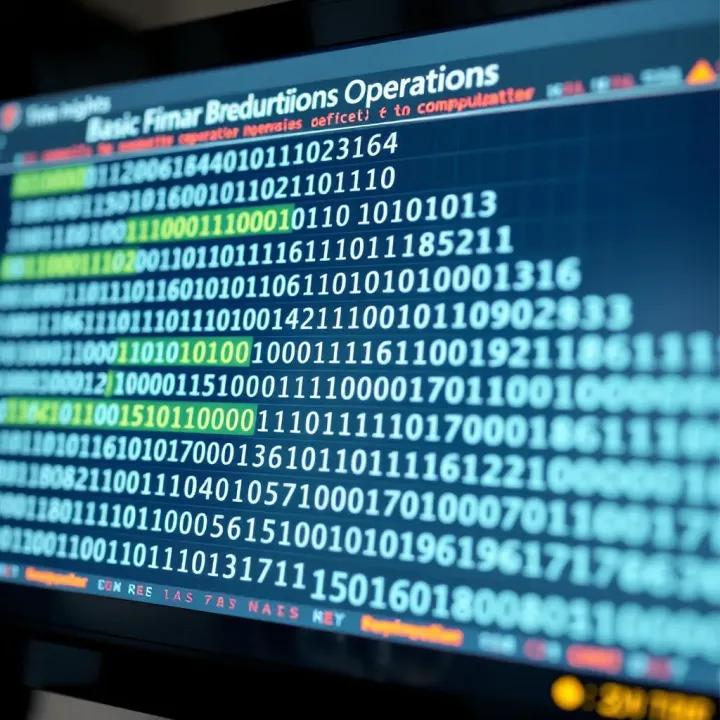
💻 Explore the binary number system, the core of computing! Learn how computers use 0s and 1s for data storage, operations, and real-world applications.

🔢 Learn how to divide binary numbers step-by-step! Understand concepts, algorithms, and tips for accurate calculations in programming and electronics. 💻⚙️
Based on 14 reviews