
Understanding Binary Numbers and Their Uses
🔢 Learn the basics of binary numbers, how this simple system powers computers & everyday tech, and why it's a key part of digital life in Pakistan.
Edited By
Benjamin Carter
The binary number system might seem like a dry topic at first glance, but it actually forms the backbone of modern computing and electronics. For traders, investors, financial analysts, and educators alike, understanding binaries helps demystify how computers process information — which is crucial for grasping technology trends impacting markets and education.
At its core, binary is a simple counting system that uses just two digits: 0 and 1. While this might sound basic, these two tiny digits carry enormous weight. They represent everything from stock trades executed on an exchange to the images displayed on your smartphone.

This article will walk you through the fundamentals of binary numbers, including how to convert them into familiar decimal numbers and perform simple arithmetic. You'll also see binary's practical applications in programming and digital electronics — fields that drive today's technological advancements.
Even if binary feels like a handful, mastering its basics is a smart move. It reveals how the digital world ticks behind the curtain.
We'll also share some downloadable PDFs and resources so you can dive deeper at your own pace, whether you're an educator prepping lessons or a financial professional aiming to sharpen your tech understanding.
By the end, you'll have a clear, no-nonsense grasp of binary numbers — not just as abstract math, but as a practical tool that shapes the digital world around us.
Getting a grip on the basics of the binary number system is the first step to understanding how computers and digital devices tick. It’s not just some geeky math thing but the very foundation that lets modern tech function smoothly. Whether you’re diving into programming, digital electronics, or even financial data systems reliant on digital tech, a clear grasp here makes life a lot easier.
At its core, binary is just a way of counting using only two symbols: 0 and 1. Think of it like a light switch — either off (0) or on (1). This simplicity might seem limiting, but it’s exactly why binary is so powerful. Every piece of data your computer processes, from a simple text file to complex stock market charts, breaks down into these sequences of zeros and ones. For example, the letter 'A' in binary is 01000001. Understanding this helps you appreciate how complex information can be represented using combinations of just two digits.
Binary numbers also serve as a universal language for machines. They symbolize whether circuits are powered or not, encoding everything without ambiguity. Getting comfortable with what binary represents gives you an edge when working with programming, debugging, or even understanding the limits and capabilities of digital tools.
Binary is the backbone of modern electronics and computing because electronic circuits naturally fit a two-state system — they are either on or off. There’s less room for error compared to systems that use more states, making binary more reliable and easier to troubleshoot.
In financial trading software, for instance, where split-second precision matters, representing data in binary ensures faster and more accurate computation. Technologies like microprocessors, RAM, and data storage all use binary to function efficiently. Without this compact but robust system, the computers running stock exchanges, online banking, or even the apps you rely on every day wouldn’t be possible.
Remember: Binary's simplicity powers complex operations under the hood of all modern technology.
Binary data is measured in bits and bytes, which you hear tossed around a lot. A bit is the tiniest unit, just a single 0 or 1. But handling data bit-by-bit would be clunky. That’s why bytes come in — a group of 8 bits. Think of a byte as a small bundle that can represent 256 different values (from 0 to 255), allowing computers to store letters, numbers, and other symbols.
For example, a financial analyst working with large datasets might deal with files sized in megabytes (millions of bytes) or gigabytes (billions of bytes), highlighting just how much data is processed. When you grasp how bits and bytes form the basic units of digital information, you start to see how everything from loading a chart to executing a transaction involves multiple layers of binary data.
Place value in binary works similarly to decimal but with a base of 2 instead of 10. This means each place represents 2 raised to a power, starting from the right. The rightmost digit is 2^0, next is 2^1, then 2^2, and so on. So the binary number 1011 translates to:
1 × 2^3 (which is 8)
0 × 2^2 (which is 0)
1 × 2^1 (which is 2)
1 × 2^0 (which is 1)
Add them up, and you get 8 + 0 + 2 + 1 = 11 in decimal.
This understanding helps a lot when converting between binary and decimal, especially useful when reading data outputs or understanding programming logic. If you keep this place-value concept at your fingertips, things like spotting errors or writing basic calculations in binary become much simpler.
With these basics locked down, you’re ready to explore how to swing between binary and other number systems, and soon, how to perform arithmetic with binary numbers. This foundation is like knowing your ABCs before writing a full report — essential, straightforward, and practical.
Getting a grip on converting binary numbers to and from other systems is a solid step in understanding how computers handle data. Since binary isn’t the first language most of us speak—decimal numbers being the everyday go-to—being able to switch between these systems is crucial. It’s like learning to read a map in different formats: the better you can translate, the less likely you’ll get lost when working with digital data.
This conversion skill matters for traders, financial analysts, and anyone crunching numbers where systems may differ. For instance, low-level programming often uses hexadecimal to condense long binary strings, making it easier to debug or handle data efficiently.
Converting binary to decimal is straightforward once you know the drill. Each binary digit (bit) represents an increasing power of 2, starting from the right. You multiply each bit by 2 raised to its position index (starting at 0) and add all those values together.
For example, the binary number 1011 is:
(1 × 2³) + (0 × 2²) + (1 × 2¹) + (1 × 2⁰)
Equals 8 + 0 + 2 + 1 = 11 in decimal.
This method helps anyone working with raw data translate machine-friendly codes back into a form we readily understand.
Try converting these binary numbers to decimal:
1101
10010
111111
Here’s a quick peek at the first one: 1101 means (1×8) + (1×4) + (0×2) + (1×1) = 13 decimal. Practicing like this boosts your fluency with number systems, a valuable skill when interpreting binary outputs from financial software or digital devices.
The go-to technique for decimal to binary conversion involves dividing the decimal number by 2 repeatedly. At each division, you note down the remainder (either 0 or 1). Once you reach zero, you write out the remainders in reverse order, getting the binary equivalent.
For example, converting decimal 13:
13 ÷ 2 = 6 remainder 1
6 ÷ 2 = 3 remainder 0
3 ÷ 2 = 1 remainder 1
1 ÷ 2 = 0 remainder 1
Write the remainders backwards: 1101.
It’s a handy method because it’s easy to do by hand and helps deepen your understanding of how binary numbers build up.
A common trap is mixing up the order of remainders; remember, write them from the last division to the first. Also, don’t forget to divide until the quotient hits zero, even if it means writing extra zeroes to keep the binary number neat—especially when dealing with bytes (8-bit chunks). Mistakes here can throw off data interpretations or coding tasks.
Both hexadecimal and octal number systems offer tidier ways to write long binary numbers. To convert binary to either one, group the bits:
Hexadecimal: group in sets of 4 bits
Octal: group in sets of 3 bits
If needed, add extra zeros at the front to make complete groups. For example, binary 10110110 grouped for hex is 1011 0110, which maps to B6 in hex.
This grouping makes not just reading but also debugging much easier for programmers and analysts alike.
Here’s a simple guide to help you remember the conversions:
| Binary | Hex | | 0000 | 0 | | 0001 | 1 | | 0010 | 2 | | 0011 | 3 | | 0100 | 4 | | 0101 | 5 | | 0110 | 6 | | 0111 | 7 | | 1000 | 8 | | 1001 | 9 | | 1010 | A | | 1011 | B | | 1100 | C | | 1101 | D | | 1110 | E | | 1111 | F |
| Binary | Octal | | 000 | 0 | | 001 | 1 | | 010 | 2 | | 011 | 3 | | 100 | 4 | | 101 | 5 | | 110 | 6 | | 111 | 7 |
Using these tables, you can quickly translate binary strings to more manageable formats, making analysis and programming clearer.
Mastering these conversions is not just academic—it's practical for anyone who deals with digital data daily, from computer programmers to analysts interpreting financial signals encoded in different number systems.
Knowing how to do basic math with binary numbers is more than just an academic exercise—it’s the backbone of how computers process everything from simple calculations to complex algorithms. Traders, analysts, and anyone working with financial data often rely on software doing intense number crunching, all rooted in binary arithmetic. Getting the hang of how binaries add, subtract, multiply, and divide sheds light on what’s happening under the hood, making tech less of a black box.
Binary addition is pretty straightforward but needs careful attention to the rules of combining bits (0s and 1s). Just like in decimal addition, here’s the quick rundown:
0 + 0 = 0
0 + 1 = 1
1 + 0 = 1
1 + 1 = 10 (which means you write down 0 and carry over 1)
For instance, adding 1011 and 1101:
plaintext 1011
1101 11000
Notice the carry to a new digit place, similar to decimal when 9 + 1 rolls over. This carry system is essential for handling values that exceed a single binary digit's capacity.

#### Handling carry and borrow

In subtraction, "borrowing" works just like in decimal. If you need to subtract 1 from 0, you borrow from the next higher bit.

Example: subtract 1010 (decimal 10) from 1101 (decimal 13).

```plaintext
  1101
- 1010
  0011
If the current bit can’t provide the subtraction, look leftward until you find a ‘1’ to borrow. Borrowing flips bits along the way—a detail crucial in low-level programming and circuit design. Mastering this can prevent errors in logic circuits and calculations that power financial software.
Multiplying binary numbers uses repeated addition and shifting, quite like long multiplication we know but simpler since digits are only 0 or 1.
Say you want to multiply 101 (5 in decimal) by 11 (3 in decimal):
Multiply 101 by last bit (1): 101
Multiply 101 by next bit (1) and shift left one position: 1010
Then add:
  101
+1010
 1111
So, 5 × 3 = 15, which in binary is 1111. This technique is vital in microprocessors and embedded systems that perform countless multiplications every second.
Division in binary mimics the long division process familiar from decimal math but works with just 0s and 1s. You subtract the divisor from the dividend repeatedly while shifting bits to the right.
For example: divide 1101 (13) by 11 (3).
Compare divisor 11 with the leftmost bits of the dividend.
Subtract where possible and bring down next bits.
Record each successful subtraction as a ‘1’ in the quotient, otherwise ‘0’.
This helps in systems that perform real-time data processing, where quick binary division can speed up decision-making.
In essence, understanding binary arithmetic isn't just for those building computers—it’s a critical skill for anyone who wants to grasp how modern technology processes numbers behind the scenes. Whether running trade algorithms or just learning programming, these arithmetic rules form the nuts and bolts of digital calculation.
The binary number system forms the backbone of modern technology, influencing everything from tiny microchips to large-scale data centers. Its importance lies in its ability to represent complex data using just two symbols: 0 and 1. This simplicity makes it incredibly reliable for electronic systems, where signals are easier to distinguish when they are in an on/off state. Understanding how binary operates in technological contexts helps professionals grasp how devices communicate and process information efficiently.
Logic gates are the fundamental building blocks of digital circuits. Each gate interprets binary input signals, which are essentially electrical voltages representing 0s and 1s, to produce a specific binary output. For example, an AND gate outputs a 1 only when all its inputs are 1, mimicking a simple decision-making process. These gates enable devices to perform basic tasks like comparison and selection that, when combined, can execute complex operations. The practical takeaway here is that mastering how logic gates work provides insight into how all digital electronics—from smartphones to satellites—operate at the most basic level.
Circuits designed with binary inputs rely on the principle that switches are either open or closed, corresponding to 0s and 1s. For example, in a simple light control system, a switch’s binary state controls whether the light turns on or off. More sophisticated circuits, such as those in processors, use multiple binary inputs to control arithmetic and data flow operations. The reliability of binary states ensures these circuits perform consistently, reducing errors in processing. Grasping these concepts is essential for anyone involved in hardware design or troubleshooting electronic devices.
At its core, every computer interprets instructions and data as sequences of binary digits. This means everything, from text documents to images, gets translated into a series of 0s and 1s. For instance, the letter 'A' in ASCII code is 01000001 in binary. This pattern allows computers to store and manipulate data using simple electronic signals. Knowing this helps programmers and analysts appreciate why data formats, encoding standards, and memory management are designed the way they are.
Low-level programming languages, like Assembly, communicate directly with a computer's hardware using binary instructions. Unlike high-level languages such as Python or Java, Assembly speaks the machine's native language, allowing finely tuned control over memory and processor tasks. For example, an instruction can move data from one memory location to another or perform arithmetic operations using specific binary commands. This is crucial in performance-critical applications like embedded systems or real-time financial trading software, where every clock cycle counts.
Understanding binary’s role in both hardware and software helps bridge the gap between concept and application, making it easier to troubleshoot, optimize, or innovate in technology-driven fields.
By seeing how binary signals drive digital electronics and how computers decode and execute binary instructions, professionals can gain a clearer picture of the interconnectedness in technology systems. This knowledge doesn’t just enhance technical skills—it empowers better decision-making in the fast-paced tech landscape.
Educational resources and PDFs serve as invaluable tools for understanding the binary number system, especially for traders, investors, and financial analysts who often grapple with digital systems in data processing and technology-driven platforms. These resources simplify complex concepts, making it easier to grasp theoretical ideas and practical applications.
PDFs, in particular, offer compact, easy-to-access documents that can be downloaded and reviewed offline. This convenience allows learners to study at their own pace, revisit tricky sections, and have a ready reference during analysis or discussion. For example, a well-structured PDF explaining binary arithmetic can help analysts understand how data encoding impacts algorithmic trading systems.
Finding dependable PDFs on the binary number system means turning to established educational platforms and tech-focused websites. Websites like Khan Academy, Coursera, and educational portals of institutes like MIT OpenCourseWare provide checked and updated materials. These sources ensure content accuracy and relevance, critical for professionals needing reliable references.
Downloadable PDFs from tech giants like IBM or Microsoft, which focus on computer science fundamentals, also offer practical insights into binary systems used in real-world technology. For instance, IBM's developer resources often include detailed guides on binary logic used in data centers, which can be directly relevant for understanding backend systems.
When choosing PDFs for learning, look for those with clear explanations, practical examples, and exercises. A useful PDF should have well-labeled diagrams, step-by-step conversion methods, and application scenarios that connect theory to professional use cases. Avoid overly simplistic documents; instead, opt for those with moderate depth and updated content.
Check the publication date to ensure the material reflects current understanding and technological advances. Also, prefer PDFs authored or reviewed by recognized educators or tech experts - their credibility adds value and trustworthiness to the content.
To make the most out of PDFs, start by skimming through headings and summaries to plan your study session. Highlight key points and jot down questions or notes in the margins. This active reading helps retain information better.
Attempt exercises included in the PDFs or create your own problems based on case studies, such as converting transaction data into binary for analysis. Revisiting these notes regularly cements understanding and prepares you for applying the concepts in real-time scenarios.
Keep your PDFs well-organized, either in folders by topic or complexity level, to easily retrieve them when needed. Using apps like Adobe Acrobat Reader allows annotation and bookmarking for quick reference during revision.
Pair binary system PDFs with related materials on digital electronics or programming languages like C or Python, which often use binary logic. This organized approach ensures you see the bigger picture and how binary concepts fit into the broader tech environment used in finance and trading systems.
Taking the time to gather and systematically study reliable PDFs sharpens your grasp on binary numbers, directly affecting how you analyze and interpret technology-based financial data.
🔢 Learn the basics of binary numbers, how this simple system powers computers & everyday tech, and why it's a key part of digital life in Pakistan.

🔢 Discover how binary numbers form the backbone of computing with clear explanations, practical uses, conversions, and binary arithmetic essentials.
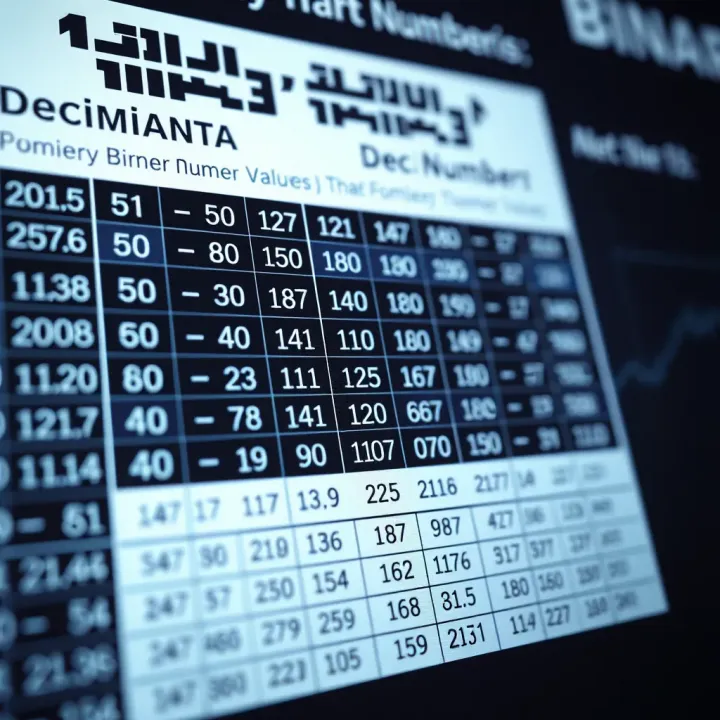
Explore how binary numbers work and their use in digital systems 📊. Master conversions 🔄, common patterns 🧩, and practical lists for everyday tech tasks.
Explore the binary number system🧮, its role in computing💻, conversion methods🔄, and how it powers tech around us📱. Essential for understanding digital tech!
Based on 13 reviews