

How to Convert Decimal Numbers to Binary
Learn how to convert decimal numbers to binary step-by-step with clear examples, tips to avoid common errors, and practical digital tools 🧮💻 Ideal for students & pros.
Edited By
Henry Morgan
Binary numbers, consisting only of zeros and ones, are fundamental to digital systems and computing. Traders, investors, and financial analysts often interact with technologies that operate behind the scenes using binary, making it important to understand how to convert these binary figures into their decimal equivalents for clearer interpretation.
The binary system is base-2, meaning each digit represents an increasing power of two, starting from the right. Unlike our everyday decimal system (base-10), each binary digit (bit) only holds a value of 0 or 1. This simplicity allows computers and electronic devices to process data efficiently using on/off signals.

Converting binary to decimal helps in interpreting data transmitted or stored digitally. For example, stock trading platforms and financial software process vast amounts of binary-coded data which later translates into prices, volumes, or indicators you analyse. Understanding this conversion supports better insight into computing operations behind such tools.
To convert a binary number to decimal:
Write down the binary number.
Starting from the right, assign powers of two to each bit, beginning with 2⁰.
Multiply each bit by its corresponding power of two.
Add all these values together.
For example, convert binary 1011:
Bits (right to left): 1 (2⁰), 1 (2¹), 0 (2²), 1 (2³)
Calculation: (1×1) + (1×2) + (0×4) + (1×8) = 1 + 2 + 0 + 8 = 11 decimal
Always remember: a zero bit contributes nothing to the total, so focus on the ones when summing.
Financial software debugging: When errors occur, binary-to-decimal knowledge helps decode data packets.
Data storage: File sizes and data transmissions are often calculated at the binary level.
Hardware interfaces: Understanding binary aids in interpreting signals from devices like POS machines.
Getting comfortable with this conversion bridges the gap between raw computer data and meaningful numeric information that matters in trading, investments, and analysis.
This section serves as a foundation; later parts will detail step-by-step methods, common pitfalls, and advanced examples.
Understanding the basics of binary numbers is essential when dealing with digital data, especially for professionals like traders, investors, educators, and financial analysts who often encounter computing systems and software relying on binary logic. The binary system forms the foundation of all modern computing, turning complex operations into a series of simple zeros and ones.
The binary system is a way of representing numbers using only two digits: 0 and 1. Unlike the decimal system, which uses ten digits (0-9), binary counts in powers of two. Each digit in a binary number is called a 'bit,' short for binary digit. For example, the binary number 1011 stands for 1×2³ + 0×2² + 1×2¹ + 1×2⁰, which equals 8 + 0 + 2 + 1 = 11 in decimal.
Practically, binary numbers are simple yet powerful because electronic devices like computers can easily represent two states — such as on/off or high/low voltage — corresponding to 1 and 0.
The decimal system is what we use in everyday life; it has ten digits and counts in powers of ten. Binary, however, only uses two digits and counts in powers of two. For example, the decimal number 5 is '101' in binary. This difference makes direct understanding between the two systems challenging at first, but converting binary to decimal breaks down computer data into familiar numbers.
It’s like reading two languages: decimal is like Urdu or English you know, while binary is a machine’s native tongue. Hence, knowing binary lets you interpret or troubleshoot how devices process numbers behind the scenes.
Binary is the backbone of all computing systems. Every calculation, data storage, or instruction inside your computer ultimately reduces to binary code. For example, when a broker uses electronic trading software or an investor checks market indices online, binary processes handle the data transfer and calculations invisibly.
Digital circuits work best with two states, as this reduces errors and complexity. That's why binary numbers are crucial not just for computer engineers but also for professionals who rely on technology daily.
Without a grasp of the binary system, understanding how digital computing works becomes difficult, which can hamper troubleshooting or optimising software commonly used in finance and education sectors.

Mastering these basics helps you appreciate the logic behind digital tools and enhances your ability to engage with technical systems confidently.
Converting binary numbers to decimal is a skill that proves very useful, especially when dealing with digital systems or programming. This method breaks down the conversion into clear, manageable steps. Understanding each part helps you avoid mistakes—particularly with place values and calculations—which are common traps for many learners.
Binary numbers work on base 2, unlike our everyday decimal system, which is base 10. Each digit in a binary number stands for a power of 2, starting from the right with 2⁰, then 2¹, 2², and so on. For example, the binary number 1011 has four digits:
The rightmost digit is 1 and represents 2⁰ (which equals 1)
Next is 1 representing 2¹ (equals 2)
Then 0 representing 2² (equals 4)
Finally, 1 on the left representing 2³ (equals 8)
Position matters a lot here. When a digit is 1, you add the value of its place; if it’s 0, you ignore that place. Thinking about place values this way helps traders, educators, or analysts convert quickly without confusion.
Once you understand place values, calculating the decimal number is straightforward. Multiply each binary digit by its place value and then add them all up. For the binary number 1011:
(1 × 8) + (0 × 4) + (1 × 2) + (1 × 1) = 8 + 0 + 2 + 1 = 11
Let’s say you encounter a larger binary number, like 11010. Break it down similarly:
1 × 16 (2⁴) = 16
1 × 8 (2³) = 8
0 × 4 (2²) = 0
1 × 2 (2¹) = 2
0 × 1 (2⁰) = 0
Adding these gives 16 + 8 + 0 + 2 + 0 = 26 in decimal.
This method saves you from guessing and helps confirm accuracy—something crucial when working with financial calculations or programming data.
Knowing this step-by-step approach supports quick and reliable conversion between binary and decimal formats, a skill valuable for anyone engaging with digital data or financial modelling involving computer algorithms.
Examples play a key role in understanding how binary numbers convert into decimal format. By working through real examples, you see how the theory applies in practice and avoid confusion around place values or calculation steps. For professionals like traders, analysts, and educators, clear examples simplify the process and help communicate the concept more effectively.
Starting with small binary numbers helps build confidence. Take the binary number 1011. Here, each bit represents a power of two from right to left:
The rightmost digit is 1 (2⁰ or 1)
Next is 1 (2¹ or 2)
Then 0 (2² or 4)
The leftmost is 1 (2³ or 8)
Add these where the binary digit is 1: 8 + 0 + 2 + 1 = 11 in decimal. Small examples like this clear any doubts about the role of each bit and how to sum their weighted values.
When converting bigger binary numbers, the same principles apply, but the scale grows. Consider 1101010110 (ten bits). Quickly, manual calculation gets tricky but this only means being systematic is essential:
Label each bit with its power of two
Mark out bits with value 1
Sum the corresponding decimal values
For example, this binary converts to 854 decimal. Seeing larger examples mirrors real computer data sizes and helps traders or financial analysts understand underlying digital processes, like data encryption or value encoding.
To save time and avoid errors, calculators and software tools are very handy. Pakistani professionals often use Microsoft Excel, scientific calculators, or online binary-to-decimal converters for quick results. Tools like Python scripts or apps on smartphones make this easy and practical, especially when dealing with lengthy binary numbers or real financial data.
Using software tools doesn't mean skipping learning; rather, they reinforce your manual skills by offering instant checks.
For instance, in Excel you can use the formula =BIN2DEC("1101") to convert binary directly to decimal. This reduces manual errors that could lead to costly mistakes in calculations or data analysis.
Using a mix of manual practice with small and large numbers alongside digital tools leads to better accuracy and understanding of binary to decimal conversion — essential for anyone working with digital data or numerical systems in Pakistan's growing tech and financial sectors.
Understanding how to convert binary numbers to decimal plays a key role in various fields, especially in computing and digital electronics. The binary system forms the backbone of modern technology, so knowing how to translate binary into decimal helps bridge the gap between machine processing and human comprehension.
Computers operate using binary, which consists of zeros and ones representing off and on states. However, humans find it easier to interpret decimal numbers. For example, when a computer processes data, the results often need to be displayed or analysed in decimal form for easier reading and decision-making. Similarly, microcontrollers in embedded systems use binary, but their output is converted to decimal to interface with users or other devices.
Digital logic circuits rely heavily on binary coding, and professionals need to convert these values into decimal for design verification or troubleshooting. Consider the case of a simple traffic light controller in a smart city setup – its sensor data might be processed in binary but presented to the control room operator in decimal for prompt understanding and action.
Beyond technical fields, binary to decimal conversion appears in practical situations too. Mobile phone networks, for instance, encode calls and messages digitally in binary, but users see numbers and information in decimal on their screens. Financial software that handles stock trading or currency exchange processes data in binary and then outputs results in decimal values understandable to traders and analysts.
Even consumer electronics like calculators and digital watches internally work with binary numbers. Knowing how the conversion works can help identify errors during software updates or malfunctioning devices. For example, when setting a digital tachometer or speedometer, the binary meter readings are converted to decimal to display the actual speed to the driver.
Mastering binary to decimal conversion allows professionals and lay users alike to interact confidently with digital systems, improving accuracy and efficiency in technology-driven environments.
In summary, converting binary numbers into decimal is much more than an academic exercise. It connects digital processes with human-readable results, empowering everyone from engineers to traders with clear, actionable data.
Understanding common pitfalls in converting binary numbers to decimal is essential, especially for financial analysts and educators dealing with digital data. A small error in place values or calculation can lead to wrong results, affecting decision-making and data integrity. This section highlights key errors to avoid and practical tips to ensure accuracy.
One of the most frequent mistakes in binary to decimal conversion arises from misinterpreting place values. Each digit in a binary number corresponds to a power of two, starting from 2⁰ for the rightmost digit and increasing as you move left. Confusing this order or skipping a position disrupts the whole calculation.
For example, consider the binary number 10110. The place values from right to left are 1, 2, 4, 8, 16. If you mistakenly attribute the third digit from right (which is 1) to 2² instead of 2³, the decimal result will be off by 8 – a big mistake in financial computations.
To avoid this, always write down the binary digits with their place values explicitly before converting. Use a simple chart or table if needed:
Digit: 1 0 1 1 0
Place Value: 16 8 4 2 1
This method keeps you grounded and reduces memory slip-ups.
After completing the conversion, always verify your result to catch any mistakes early. One straightforward way is to reverse the process: convert your decimal answer back into binary and see if it matches the original number.
Another tip is to use calculator tools or software specially designed for binary-decimal conversion available on platforms like Windows or smartphone apps. While not a substitute for understanding, these tools help cross-check answers quickly.
Moreover, double-check summations during conversion. Adding partial decimal values for each binary digit’s place value can introduce small errors if done casually.
Remember, even skilled professionals often err by overlooking basic steps in place value or addition. Taking a moment to verify saves time and upholds confidence in your numeric work.
In sum, keeping an eye on place values and verifying your conversion through reverse calculation or digital tools ensures accuracy. This approach not only prevents errors but also strengthens your grasp of binary-decimal relationships, valuable for trading algorithms, data analysis, and teaching purposes.
Learn how to convert decimal numbers to binary step-by-step with clear examples, tips to avoid common errors, and practical digital tools 🧮💻 Ideal for students & pros.

Learn how to convert binary numbers to decimal with clear steps and tips 🔢. Understand place values, common issues, and practical uses in tech 💻.

Learn to convert fractional decimal numbers to binary step-by-step 🧮. This guide offers clear examples, tips, and practical insights for Pakistani students and IT pros.
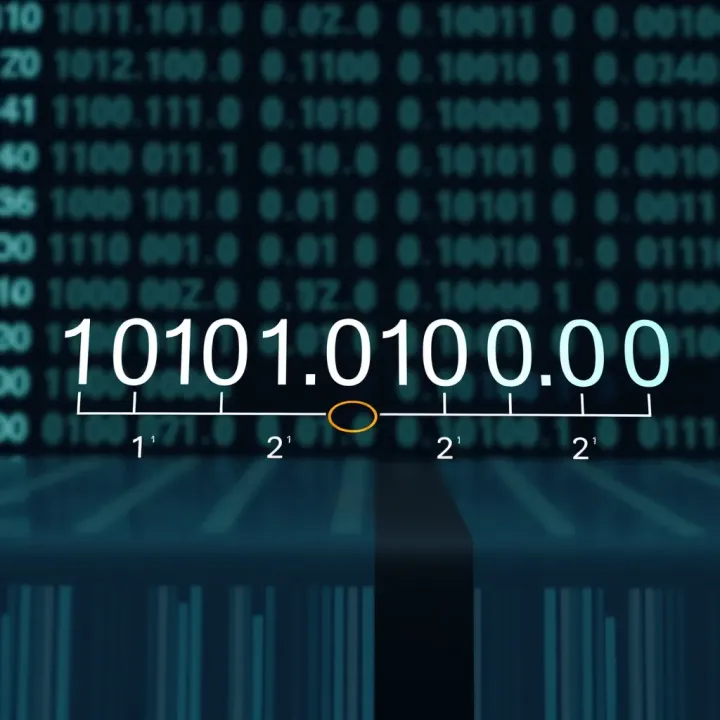
📊 Learn how to convert binary numbers to decimal with step-by-step guidance, clear examples, and practical tips, boosting your digital systems understanding effectively.
Based on 13 reviews